How I Built StarBox IPTV
How I Built StarBox IPTV: A Modern Streaming App with React.js and Vibe Coding
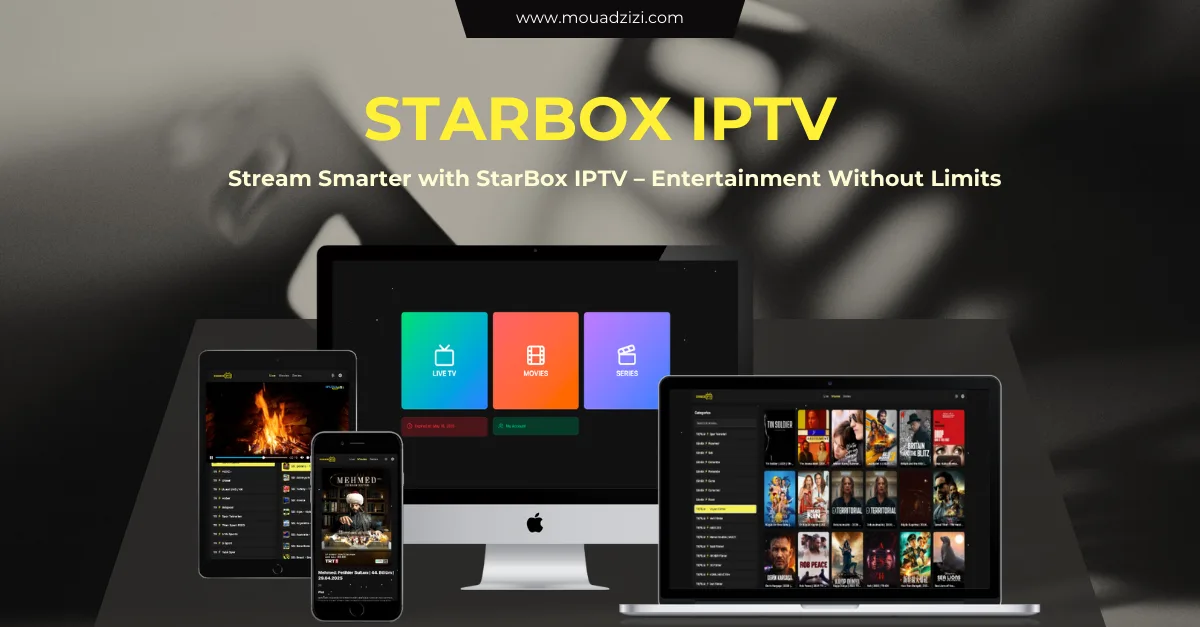
I recently launched StarBox IPTV, a sleek, responsive IPTV web app for live channels, movies, and series. Here's the actual technology stack, the decisions behind it, and how I approached development using a vibe-focused coding workflow in Trae.ai.
The Tech Stack Behind StarBox IPTV
Frontend: React.js with TypeScript
I chose React.js for its performance and component flexibility, and TypeScript for type safety and scalability. This combination means fewer runtime surprises as the codebase grows — TypeScript catches a class of bugs (wrong prop types, undefined data shapes from the stream/playlist layer) at compile time rather than in production, which matters a lot for a media player where a silent type mismatch can mean a broken playback screen for a user.
UI Kit: ShadCN UI
ShadCN UI gave me a fast start with a polished, accessible design system, with full dark/light mode support baked in from day one rather than retrofitted later. Its components are copy-into-your-project rather than a black-box npm dependency, which means I can customize deeply without fighting an abstraction layer — useful for a product like this where buyers will reskin it for their own brand.
Editor: Trae.ai (Vibe Coding)
One of the more unusual parts of this build was using Trae.ai, an editor powered by Claude and GPT models, in what I'd call a "vibe coding" workflow — writing in flow, with AI-assisted suggestions handling boilerplate and repetitive patterns so I could focus on architecture and logic rather than typing out every component by hand. For a project with this much repetitive UI (channel cards, player controls, settings panels), that meaningfully compressed the build timeline versus writing every component from scratch manually.
Key Features
- Multi-platform support — works smoothly on Desktop, Mobile, Tablet, and TV devices from a single responsive codebase
- Multiple account support — users switch between profiles seamlessly
- Full search — instantly find Live TV, Movies, or Series with optimized indexing rather than a linear scan
- Stream format support — mp4, m3u8, and .ts streams all supported out of the box, covering the formats most Xtream/IPTV providers actually deliver
- Fully responsive layout — pixel-perfect across screen sizes rather than a mobile layout awkwardly stretched to desktop
- Light & dark mode — dynamic theme switching based on user preference
Why I Built It
After building and selling multiple IPTV and media-based projects, I kept running into the same gap: the market was missing a fast, well-designed IPTV web platform that felt genuinely premium rather than like a bare-bones Xtream skin, while still staying developer-friendly enough to customize and extend. StarBox IPTV is my answer to that gap — performance, design, and ease of customization in one package.
Who It's For
StarBox IPTV is built for resellers who want a premium-feeling web player for their clients, media enthusiasts running a personal streaming setup, and developers looking for a solid, well-typed React/TypeScript base to customize and deploy rather than building a player from zero.
Final Thoughts
Building StarBox IPTV brought together modern tooling, real design opinions, and a genuine preference for clean, typed code over quick-and-dirty JavaScript. If you're a developer or entrepreneur in the streaming space, I hope the specific stack choices here — and the reasoning behind them — give you something concrete to work from in your own build.

.webp)