How I Build Profitable Live Score Apps
Introduction
With football remaining the most-watched sport globally, launching a live score app can be a genuinely profitable product — if built and monetized the right way. This is my actual build process, end to end: UI, real-time data, backend architecture, admin tooling, and monetization, based on the apps I've shipped in this space.
Step 1: Choosing the Right UI Foundation
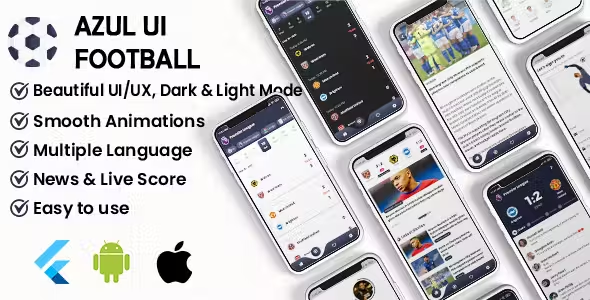
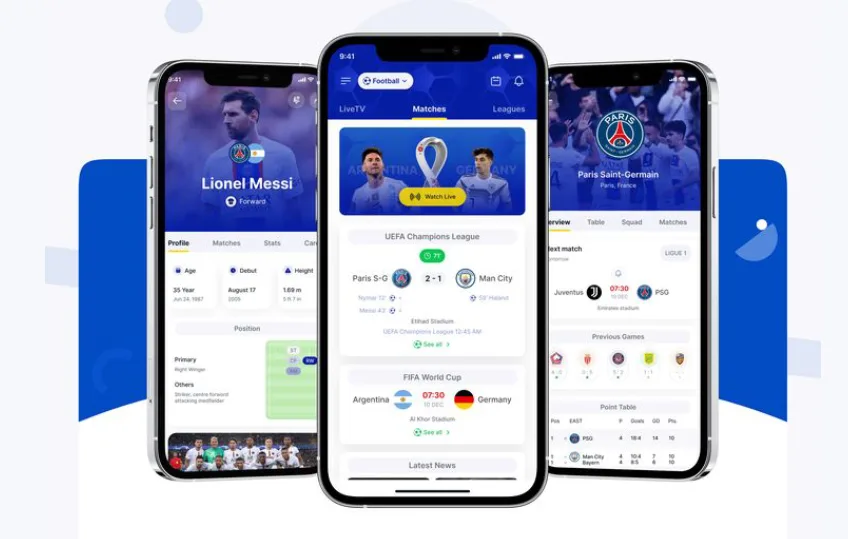
I start from Azul Football UI Kit, a Flutter template covering Android, iOS, and Android TV out of the box, with dark mode, categories, teams, and matches already built. Starting from a working UI layer means the first 2-3 weeks of a project go into data integration and backend work instead of building screens from a blank canvas.
Step 2: Fetching Real-Time Data Without Burning Your API Budget
For match data, I integrate providers like API-Football, which cover fixtures, live scores, lineups, and player stats. The detail that actually matters here: I don't call the API directly from the app. Instead, I run cron jobs in Node.js that poll the provider on a schedule and write normalized results into Supabase. The app then reads from Supabase, not the third-party API directly. This does two things — it caps your API cost to a fixed polling rate regardless of how many users you have (rather than one API call per user session), and it lets you serve data even during a brief provider outage, since your own database is the source of truth for the app.
Step 3: Backend Architecture
Node.js plus Supabase handles match data management, tracks any user-generated content (posts, comments if you have them), serves data to the mobile app, and powers the admin dashboard. Supabase gives you Postgres, authentication, and a REST/realtime API out of the box, which cuts real backend development time versus rolling your own auth and database layer from scratch.
Step 4: Admin Panel & Non-Technical Control
I build a custom React.js admin panel so whoever runs the app day-to-day — often not a developer — can add and edit teams, leagues, and coaches, manage match streams manually, and schedule content, all without touching code. This is the difference between a product you can hand off to a client or a non-technical co-founder, versus one that requires a developer on call for every content update.
Step 5: Livestream & Notifications
Streams get attached to matches manually via the admin panel rather than through a fully automated pipeline — for most livescore products at this scale, manual stream assignment per match is simpler and more reliable than building automated stream discovery. For engagement, Firebase Cloud Messaging handles goal alerts, match-start reminders, and custom promotional messages, all controllable from the same admin panel.
Step 6: Monetization Strategy
- In-app ads (AdMob, Unity Ads) as the baseline, compliant-everywhere revenue layer
- Premium plans — remove ads, unlock HD streams or extra stats — for users willing to pay for a better experience
- Affiliate links for betting platforms, where legally and regionally appropriate (see the companion post on AdMob vs. betting-affiliate monetization for the compliance considerations)
- Selling the app itself as a source-code product or via a custom private deal, if building similar apps repeatedly is part of your business model
Conclusion
Whether you're a developer or a founder, building a football live score app today is more achievable than it was even a couple of years ago — the pieces (Flutter, a livescore API, Supabase, Firebase) are all mature, well-documented tools. The real differentiation is in the details: caching your API calls through your own database rather than hitting the provider per-user, and building admin tooling that lets non-technical people run the product day to day.
Want a ready-made starting point instead of building from zero? I offer custom football/live-score app builds with full source code and admin control — get in touch to discuss your specific requirements.