Why You Need to Use Flutter in Development Application for Live Score Sports

The Real Case for Flutter in Live Score Apps
"Use a single codebase" is the answer everyone gives for why Flutter suits sports apps, and it's true but incomplete — it's true of React Native and other cross-platform frameworks too. The more specific reason Flutter fits a live-score app well is how it handles frequent, small UI updates, which is exactly what a live score screen does constantly.
Widget Rebuilds Are Cheap and Predictable
A live score screen re-renders constantly: the minute ticks up, a score changes, a card is shown, a substitution happens. Flutter's widget tree and reactive rebuild model (especially with a state management approach like Riverpod, Bloc, or even plain `setState` for simpler screens) is built around exactly this pattern — small, frequent, localized UI updates without re-rendering the whole screen or dropping frames. That translates directly into a live score list that scrolls smoothly and updates in place, rather than jank or a visible flash on every score change.
One Codebase, But the Real Win Is Consistency
- Identical behavior across platforms: a real-time score update, a notification tap, or a deep link into a specific match behaves the same on Android and iOS because it's the same code, not a parallel reimplementation that can drift out of sync.
- Faster iteration on live features: hot reload means testing a change to how a goal notification animates, or how a live match card looks mid-game, takes seconds rather than a full rebuild-and-redeploy cycle per platform.
- Smaller team, same coverage: a livescore app that needs to ship fast (ahead of a season start, or a tournament) benefits from not needing separate Android and iOS specialists to maintain feature parity.
Where Flutter Needs Help
Flutter handles the UI layer well, but a livescore app's actual hard problem — real-time data delivery — lives in your backend choice, not your frontend framework. Pairing Flutter with a real-time-capable backend (Supabase Realtime, Firebase, or a WebSocket layer of your own) is what actually delivers the "instant update" experience; Flutter alone just renders whatever data arrives quickly and smoothly.
Starting From a UI Kit vs. Building From Scratch
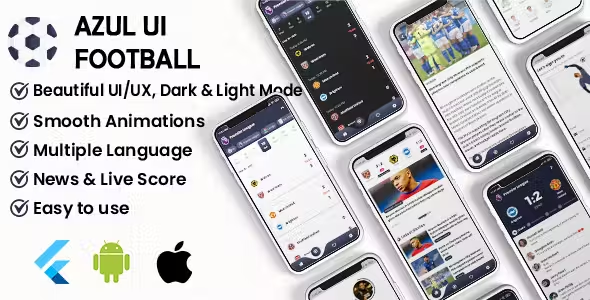
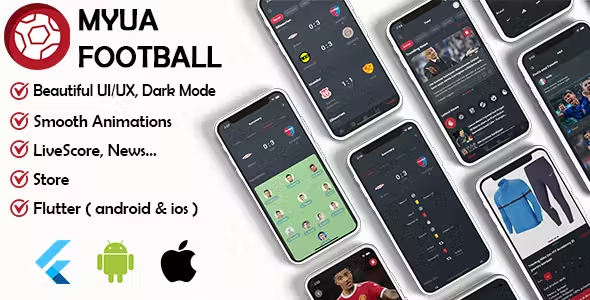
If the UI layer (match lists, live score cards, league tables, stats screens) is the part you'd rather not build from zero, a Flutter sports UI kit gives you that screen structure already built, so your own effort goes into the backend and data integration instead. I maintain a few of these — Azul Football UI Kit, Scora: Sport UI KIT, Pitches Sports UI KIT, and Myua Football UI Kit — each with a different screen depth and feature set depending on what you need.
Conclusion
Flutter's advantage for live score apps isn't just "one codebase" — it's that its rebuild model matches the exact pattern a live score screen needs: frequent, small, smooth updates. Pair it with a genuinely real-time backend, and that's the combination that makes an app feel instant rather than merely functional.