Publishing Your App to Google Play & App Store: What You Need to Know
Why App Store Submission Trips People Up
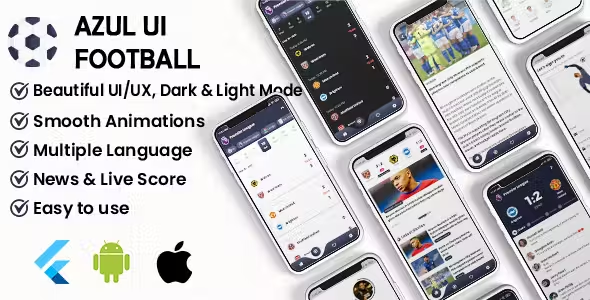
You bought a Flutter app, customized it, and you're ready to launch — then you hit Google Play Console and App Store Connect, and the part that should be simple turns into a maze of compliance forms, screenshot size requirements, data-safety declarations, and review guidelines that change more often than most people expect. This is the single most common blocker I hear about after someone buys a source-code product: the code works, but getting it live on the stores eats more time than building the app did.
Are Our Products Legal to Publish?
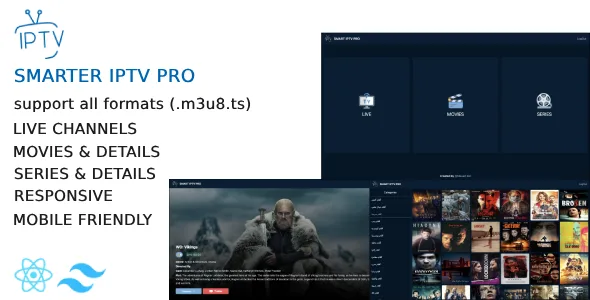
Yes — every product in the store is original code built by me, sold as a legitimate source-code license for you to customize, rebrand, and publish under your own developer account. There's nothing in the codebase itself that violates Google Play or Apple App Store policy. That said, being legal to publish and being guaranteed approval are two different things — for apps like Azul TV Player or Smart IPTV Pro specifically, the app itself is clean, but what you connect it to (your Xtream Codes/m3u content source) needs to be something you actually have the rights to distribute. The code passes review; your content sourcing is on you.
Common Reasons Apps Get Rejected
- Incomplete metadata — missing privacy policy URL, inconsistent app description, wrong category.
- Data Safety / App Privacy forms filled out incorrectly — both stores now require a detailed declaration of what data your app collects, and mismatches with actual app behavior are a fast rejection.
- Screenshots that don't meet size/format requirements — each store has strict dimensions per device type, and generic phone screenshots often don't cut it.
- Placeholder or broken content — reviewers test your app live; leftover demo content is an instant flag.
- Missing permissions justification — requesting device permissions (camera, location, etc.) without a clear in-app reason.
None of these are code problems — they're submission-process problems. Which is exactly what our app store upload service exists to handle.
What the Upload Service Covers
- Professional screenshots — device-framed, correctly sized for every required resolution on both stores.
- Store listing setup — title, description, keywords, category, and graphic assets configured correctly.
- Full submission process — build upload, signing, all compliance forms, and submission on Google Play Console and App Store Connect.
- Review follow-up — we track the review status and respond to store feedback until your app is live.
Flat rate: $50, covering both stores.
What You Need Before We Start
- Your own developer accounts. We publish to your Google Play Console and App Store Connect accounts only — never our own. Register and pay for them yourself first (Google Play $25 one-time, Apple $99/year), then share access with us.
- A legal app. We only submit apps that comply with the law.
- Working code. If the app needs a code fix or bug fix to pass review, that's free if we built the app originally. If a different developer built it, you'll need them to fix code-level issues first — our service covers the submission process, not custom development on someone else's code.
Conclusion
If the code is done and the only thing standing between you and a live app is the submission process itself, that's exactly the gap this service closes. Check out the upload service, or browse the full product store if you're still picking which app to start from.

.webp)